


If you’ve been around the tech industry, especially in software development or DevOps, you’ve probably heard the term Docker. It’s more than just a buzzword — Docker has transformed how developers build, ship, and run applications. But what exactly is Docker, and why has it become such a vital part of modern software development?
In this post, we’ll explore Docker in detail — what it is, how it works, why it’s useful, and how you can start using it.
🚢 What is Docker?
Docker is an open-source platform that allows developers to automate the deployment of applications inside lightweight, portable containers.
Think of a container as a lightweight, standalone, executable package that includes everything needed to run a piece of software — including the code, runtime, libraries, environment variables, and system tools. This means your application will run the same way no matter where it’s deployed — whether it’s your laptop, a server in the cloud, or a colleague’s machine.
🔍 Why Docker Was Created
Before Docker, developers often used virtual machines (VMs) to create isolated environments for applications. While effective, VMs can be bulky, slow, and consume a lot of resources because each one includes a full operating system.
Docker containers, on the other hand, share the same OS kernel but run in isolated user spaces. This makes them much faster and more lightweight than traditional VMs.
🧱 Key Concepts in Docker
Let’s break down some of the core components and concepts of Docker:
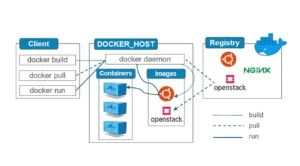
1. Docker Engine
The Docker Engine is the runtime that allows you to build and run containers. It includes:
- Docker Daemon: Runs in the background and manages containers.
- Docker CLI: The command-line tool to interact with Docker (e.g.,
docker run,docker build). - REST API: Allows other tools to interact with Docker.
2. Docker Images
A Docker image is a blueprint for a container. It’s a read-only template that defines everything needed to run an application. You can think of it as a snapshot of a configured environment.
Images are usually built from a Dockerfile, which is a simple script with instructions on how to build the image (e.g., install dependencies, copy files).
Example Dockerfile:
FROM node:18
WORKDIR /app
COPY . .
RUN npm install
CMD ["node", "app.js"]
3. Docker Containers
A container is a running instance of a Docker image. It’s isolated from your system but can interact with it if needed. You can create, start, stop, move, and delete containers easily.
4. Docker Hub
Docker Hub is a public repository of Docker images. You can find official images (like mysql, nginx, node) or share your own.
5. Volumes
Volumes are used to persist data generated by containers. Since containers are ephemeral (they can be deleted or replaced), volumes help ensure important data is not lost.
🛠️ What Can You Do With Docker?
- Develop locally in isolated environments
- Test your applications in production-like environments
- Package and share your applications with others
- Scale and deploy microservices efficiently
- Ensure consistency across environments (local, testing, production)


No Comment! Be the first one.